
Explore our library to learn more through variety of topics

Effortlessly unpivot data with Excel Power Query
When our customer came to me asking how we could load their historical General Leder (GL) data for the past four years, I knew I was in for a treat. They sent me an Excel file that was an extract of their current ERP system. The file was essentially a trial balance with 47 accounting periods presented in the columns. To make things more interesting, the file also had a sheet per Cost Center, each representing one of their stores or departments; 72 in total. These Cost Centers were defined as Global Dimension 1 during our implementation cycle. Here is what the data looked like:
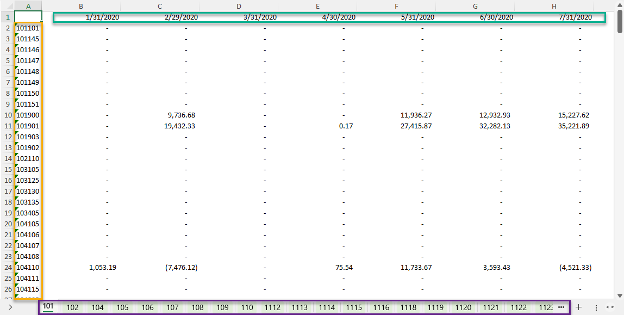
My task was to take this raw data and transform it so that we could use it to create the General Journal entries. My tool of choice for this kind of work is Excel Power Query, which allows you to import or connect to external data and shape it to meet your needs.
No matter what kind of retailer you are, if you’re struggling to migrate a large amount of historical data, you may be able to use these steps to solve your problems. Here’s how:
1. Create the query to prepare for data transformation
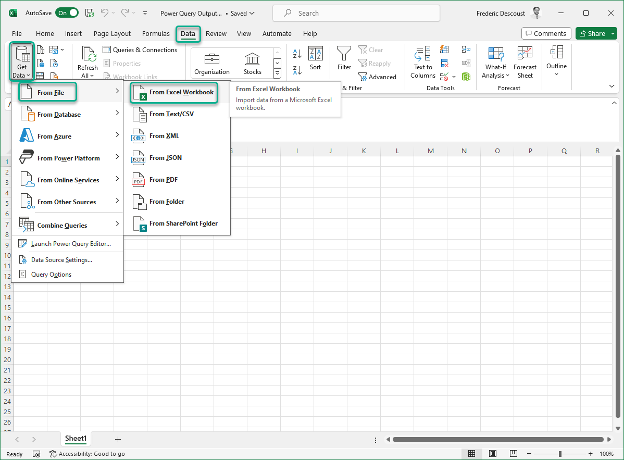
Excel Power Pivot provides a powerful tool for efficiently transforming data. With just a few clicks, I created a query to combine all tabs into a single dataset. I opened a new Excel sheet and selected the file provided by my customer as the source data.
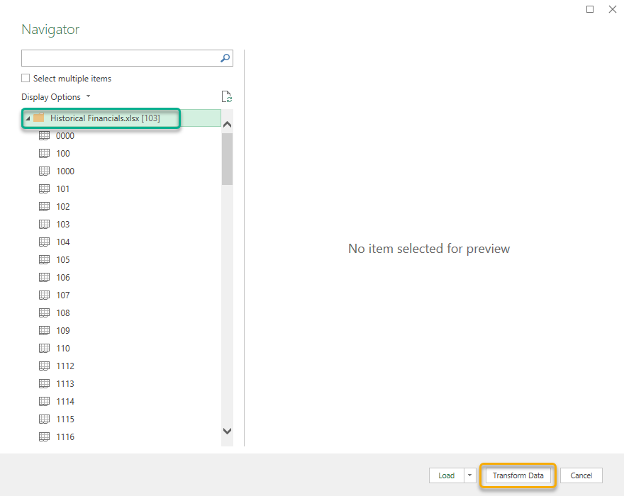
I’m now presented with the navigator where I need to select the main folder and click on “Transform Data.”
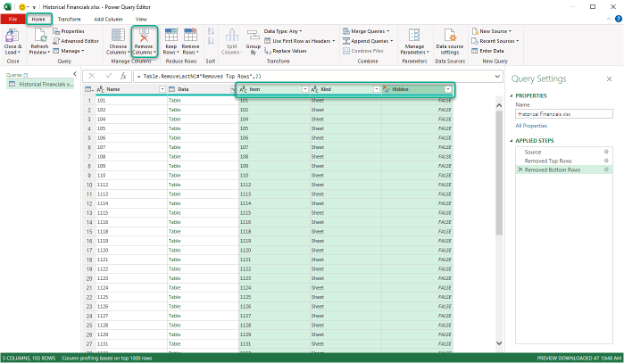
Now I have my Query where I can remove the columns I don’t need. First, I can select those columns and use the “Remove Columns” function in the toolbar.
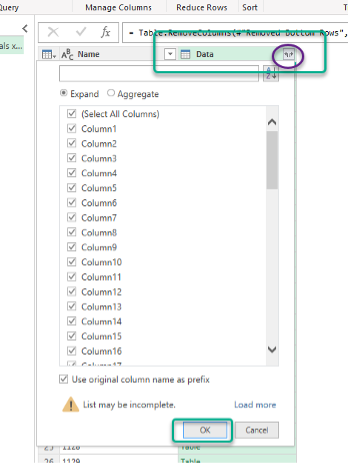
Next, I must expand the data so that all my accounting periods and amounts are populated in the dataset and ready for the next transformation.
I need to select the “Data” column and click on the icon to the right, making sure all my columns are selected before clicking “OK.”
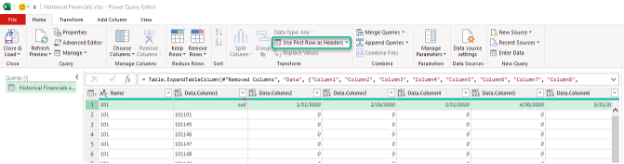
I can then promote my first row as headers.
2. Unpivot the columns
Now that my dataset has been defined, it’s time to unpivot the columns to get a new data set that I can use to create General Journal entries with. For this step, I need to select all the columns I want to unpivot then select the “unpivot columns” function in the “Transform” menu.
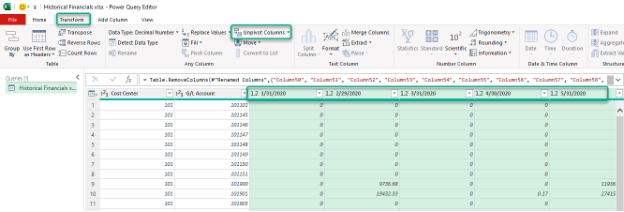
My columns have now been unpivoted!
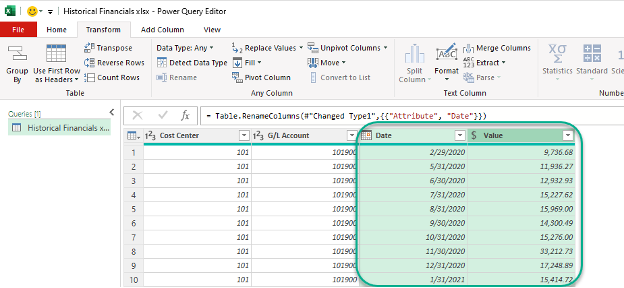
3. Load the data into Excel
The last step is to simply load the data into Excel! All I need to do is to select the “Close & Load” function in the “Home” menu.
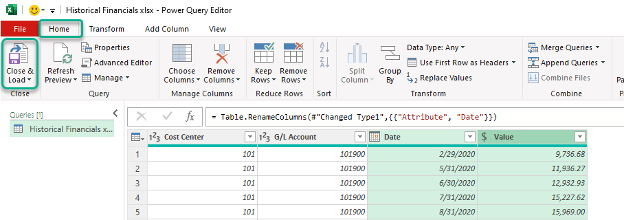
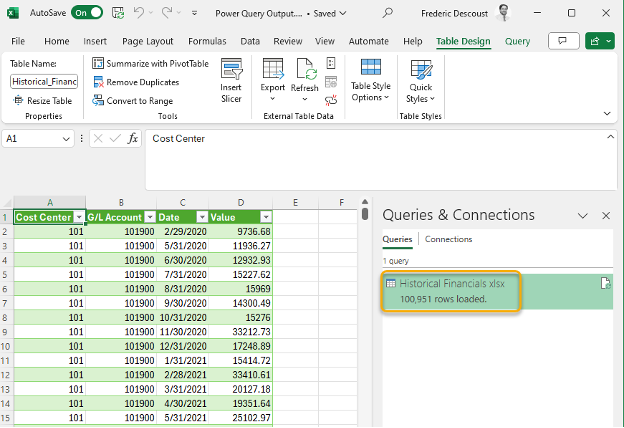
So, now I have a dataset that can be used easily as the source to create the General Journal entries and post to the General Ledger!
I want to point out that this dataset had just over 100,000 entries and it only took minutes for me to get from the source file to this dataset that I can now use.
By LS Retail
** Hotline: 092 636 2468
** Email: info@naviworld.com.vn
** Fanpage: NaviWorldVietnam
Ready to get going?
Ready to get going?
Please share your contact informations below to allow one of our expert to contact you.
About NaviWorld
NaviWorld Vietnam is a leading solutions provider of end-to-end integrated and adaptable business management solutions for mid-sized companies in Vietnam and South East Asia. With solutions catering for various sectors from Distribution to Retail, Services to Manufacturing, NaviWorld brings a portfolio of internationally proven, fully integrated technology business solutions to our customers.
Solutions
Contact Us
Ha Noi
-
11th Floor, 41 Hai Ba Trung Street, Hoan Kiem District, HN
-
Tel: +8424-3636 6268
Ho Chi Minh
- 13P Floor, 2BIS Nguyen Thi Minh Khai St., Dist. 1, HCM City
- Tel: +8428-3840 3177